01
Search Google Maps
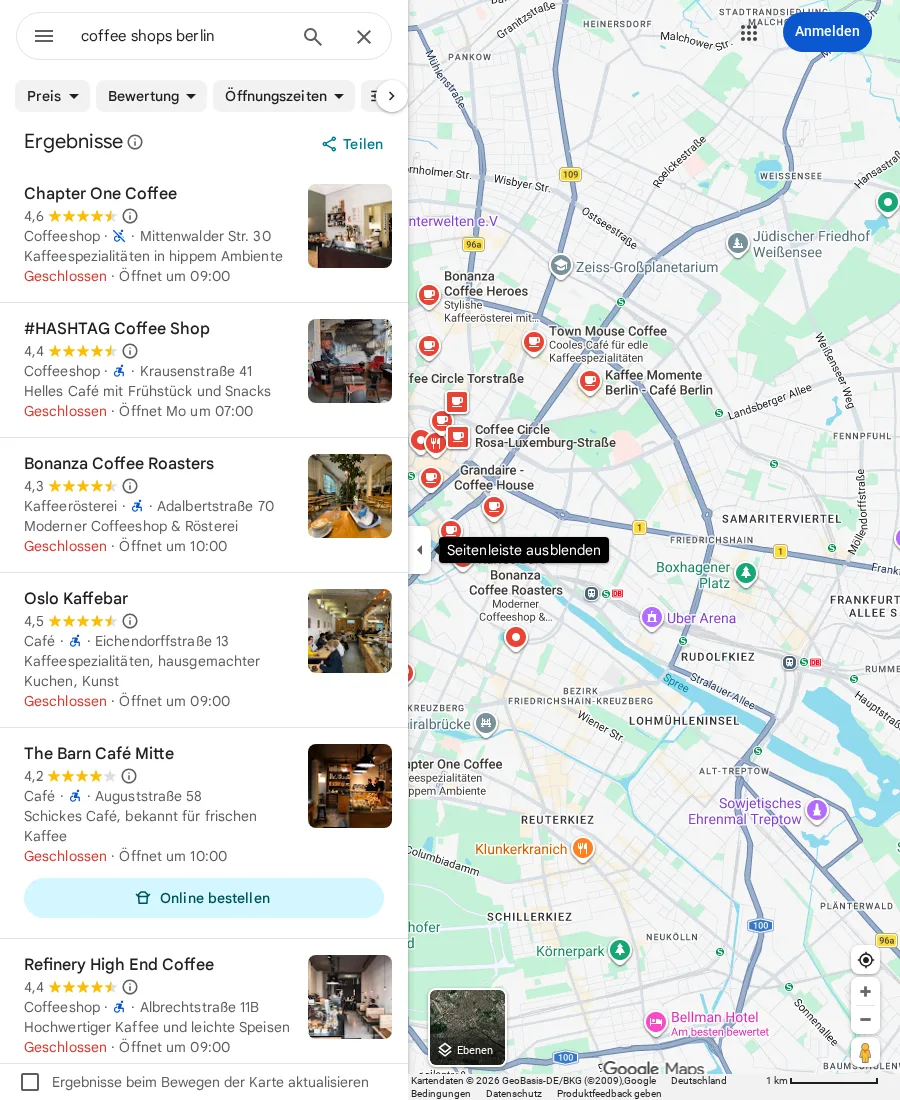
Combine the business type and location into a Google Maps search, wait for the result feed, and focus the listing panel.
Use case
Search Google Maps by business type and location, collect unique listings, enrich available details, and export the rows as a cloud CSV.
Google Maps
google.com/maps
Public Flow
This read-only canvas is generated from the same public Flow seed used by Scrapeer's Flow Library. Drag the canvas, zoom into a Block, and inspect how collection, deduplication, enrichment, and CSV export connect.
The starter form changes these four values without exposing selectors or internal Block settings.
The Flow creates one cloud CSV with these columns. Phone and website remain empty when a Google Maps listing does not expose them.
Name Category Rating Reviews Address Phone Website Google Maps URL Run this Flow in Scrapeer Cloud. Start with 10–25 results and check the location, duplicates, and empty fields. If Google Maps returns incomplete results or changes its page layout, open the affected Block in Liveview, adjust it, and run again.
Google Sheets path
The verified n8n workflow supplies the search inputs, starts this saved Scrapeer Flow, normalizes the returned businesses, and appends one row per lead to Google Sheets.
Flow details
Use this Google Maps-specific Flow when you need a repeatable local-business search rather than a one-off copy job. It collects unique listings, opens business detail pages for available fields, and exports a cloud CSV. After you save the Flow, n8n can run it and append the returned rows to Google Sheets.
Read how to collect Google Maps leads into a CSVGoogle Maps searches for a business type and location, such as dentists in Berlin or coffee shops in Cologne.
Change the business type, location, maximum result count, and CSV file name before starting the Cloud Run.
The Flow deduplicates listings by Google Maps URL, enriches each collected business, and keeps missing listing fields blank instead of inventing values.
01
Combine the business type and location into a Google Maps search, wait for the result feed, and focus the listing panel.
02
Scroll the result feed, deduplicate listings by Google Maps URL, then open detail pages for available address, phone, website, rating, and review fields.
03
Create a cloud CSV directly, or let the verified n8n workflow append the returned lead rows to Google Sheets.