Web Scraping Without Code: Introducing Scrapeer
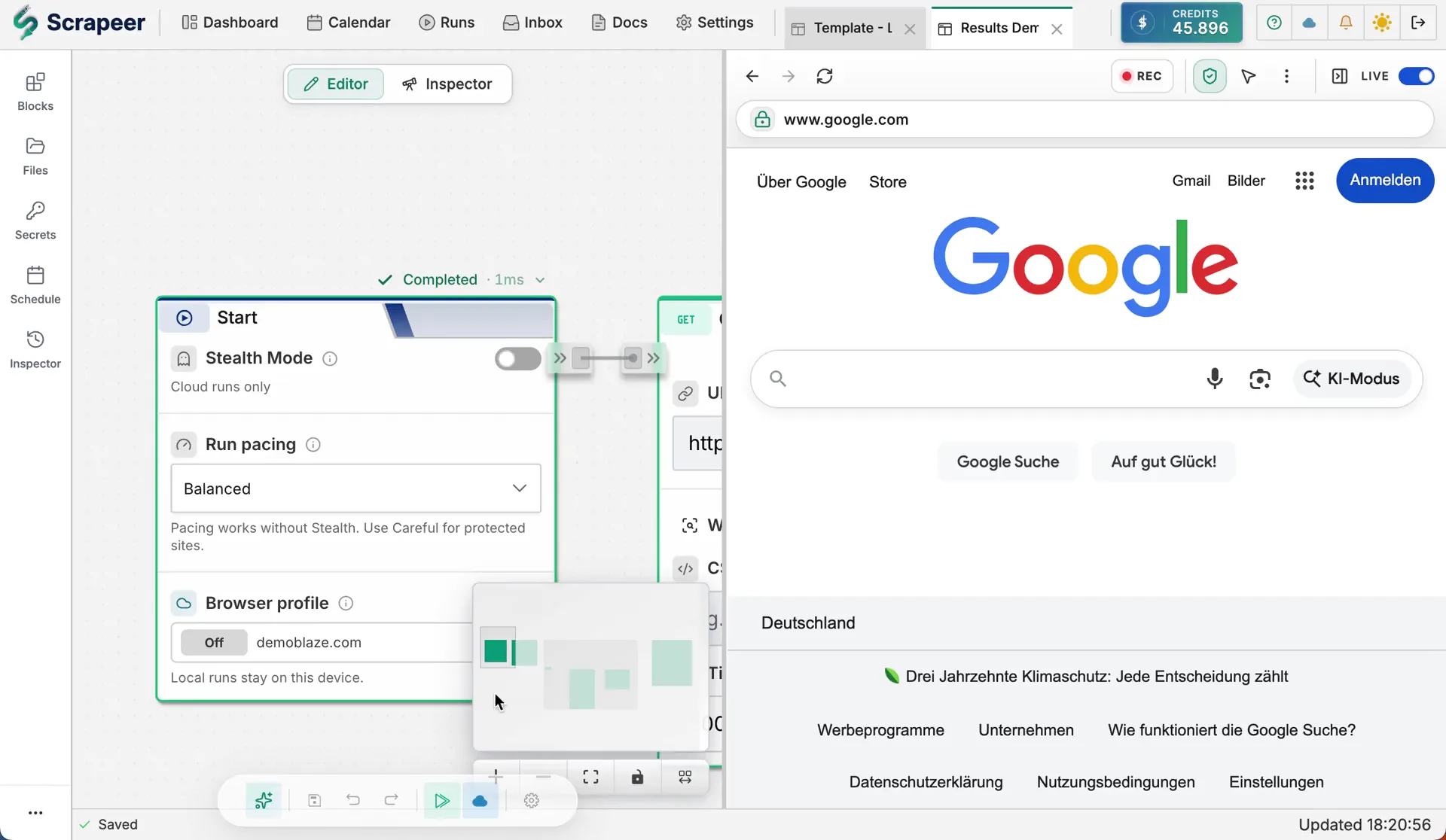
Scrapeer is a no-code web scraping and browser automation tool built in Germany for people who need data from websites, but do not want to write or maintain code to get it.
You can start from the Flow Library, build the browser task Block by Block, or ask the AI Copilot to draft a first version. In all three cases, you end with the same thing: an editable Scrapeer flow that opens pages, clicks filters, waits for results, extracts rows, sends data to a table or Google Sheets, and can be changed when the page changes.
What Scrapeer gives you
| Part | What it does |
|---|---|
| Editable flows | Build the browser task as Blocks you can inspect, change, and run again. |
| Flow Library | Start from reusable starter flows, study examples, or request a flow that is missing. |
| Liveview | Run the flow beside a real browser so clicks, waits, scrolls, and extracted rows stay visible. |
| Local runs | Use Scrapeer Desktop for local test runs before spending Credits. |
| Cloud Runs | Move the same flow to Scrapeer’s cloud when your machine should not run the job. |
| Scheduling and Secrets | Repeat the flow later, and reuse encrypted Secrets for credentials or API keys. |
Start with the browser task
Most scraping jobs do not start with code; they start with a website and a missing export button.
Say you need competitor prices every Friday. You already know the path: open the site, search the category, click through product cards, copy the price, move to the next page, and put the rows into a spreadsheet.
Scrapeer turns that path into a flow where the steps stay on the canvas, the browser stays visible, and the output is not separated from the work that produced it.
Not every flow has to start from a blank canvas. The Flow Library has starter flows for jobs like price monitoring, job listings, marketplace exports, and lead lists. Open one to see the target-page examples, fields, and outputs, use it as a starting point or as inspiration, and request a starter flow if the job you need is missing.
Download Scrapeer free and try it with one browser task you already repeat.
Every browser step stays visible
In Scrapeer, a flow is a set of connected Blocks. Each Block handles one browser step: open a page, click an element, type into a field, extract data, loop over results, check a condition, write to Google Sheets, or reuse a value from an earlier step.
A flow works like a recipe. The Blocks are the steps, and the lines between them are the order. You can inspect the recipe without understanding the internals of browser automation.
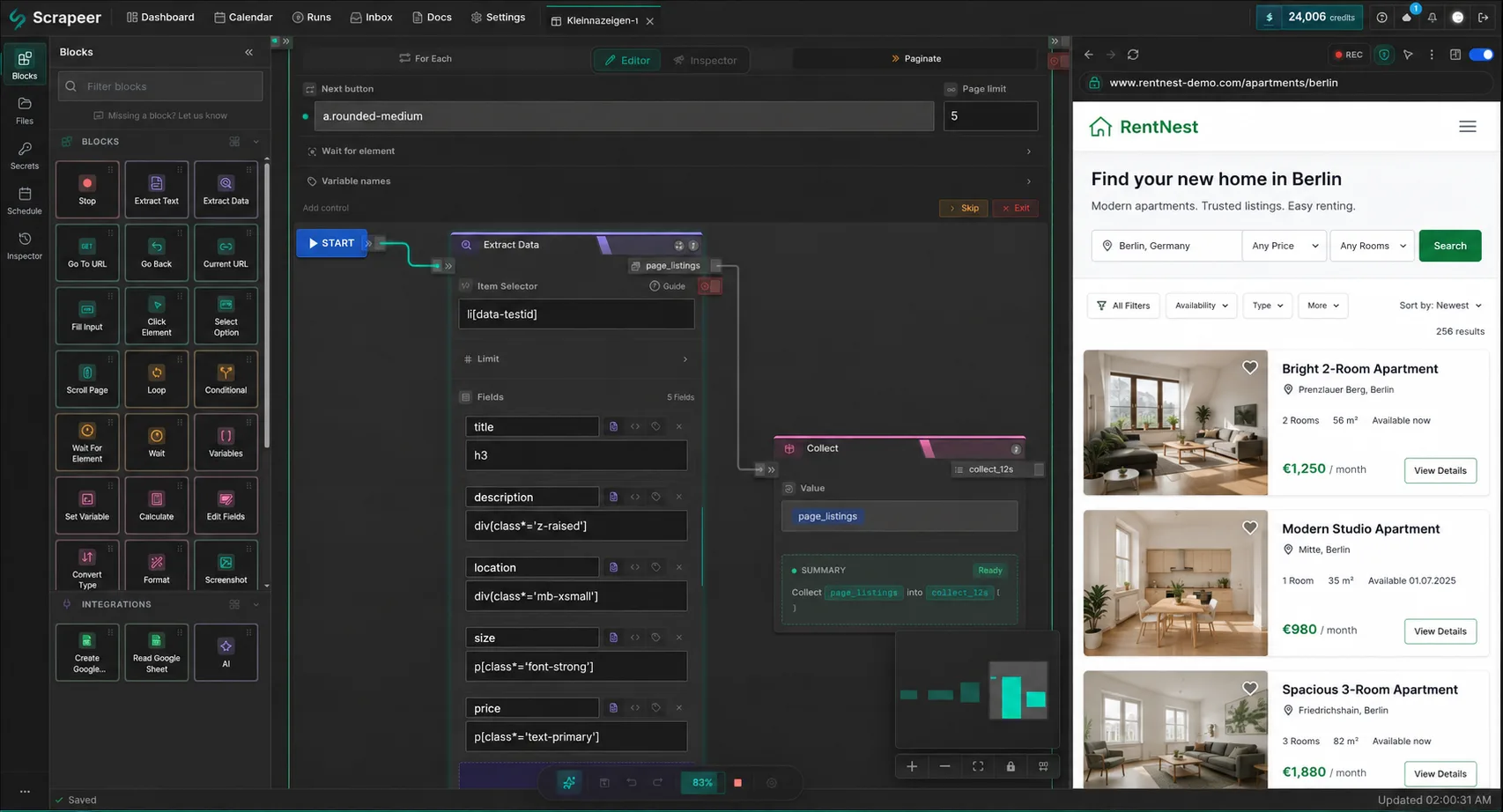
When you run the flow, a real browser opens next to the canvas and the active Block is highlighted as the page loads, clicks happen, fields fill, scrolls move, and rows appear. If a run gets stuck or extracts the wrong thing, you can see where the task drifted instead of waiting for a spinner to hand you a broken CSV.
Start from the Flow Library, canvas, or Copilot
If the job matches a starter flow, open it from the Flow Library and edit the target page, fields, or output before you run it. If the steps are obvious, start from the canvas: drag in a Block, point it at the element you want, choose the setting, and connect the next Block. When the page has more moving parts than you want to map by hand, give the Copilot the first pass.
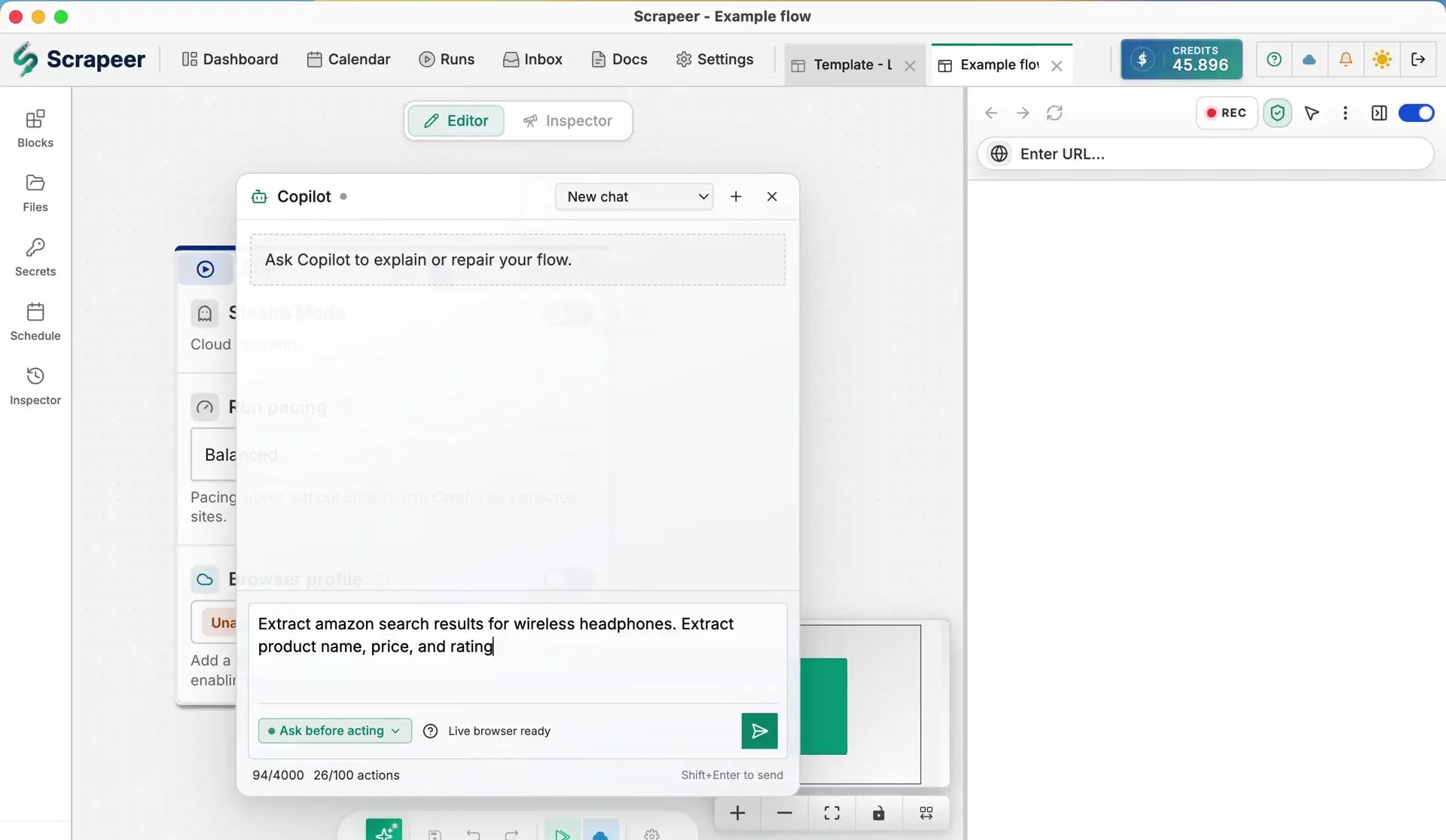
Write something like: “Go to a job board, search for marketing jobs in Berlin, extract the title, company, location, and link from the first three pages.”
The Copilot turns that request into Blocks on the canvas. It does not hand you code that lives outside the editor. It creates the same kind of Scrapeer flow you would have built by hand, so you can inspect it, change it, run it locally, run it in the cloud, or add Scheduling later.
The Copilot gets things wrong sometimes: a field can be off, pagination can be missed, or the site can behave differently than the request implied. When that happens, you adjust the Block that is off.
Start local, move to cloud when the job needs it
Scrapeer starts on your machine. Scrapeer Desktop is free, and it gives the web editor a real browser for Liveview and local test runs. Free-plan users can test flows within plan limits. Subscribers can run local workflows without spending Credits.
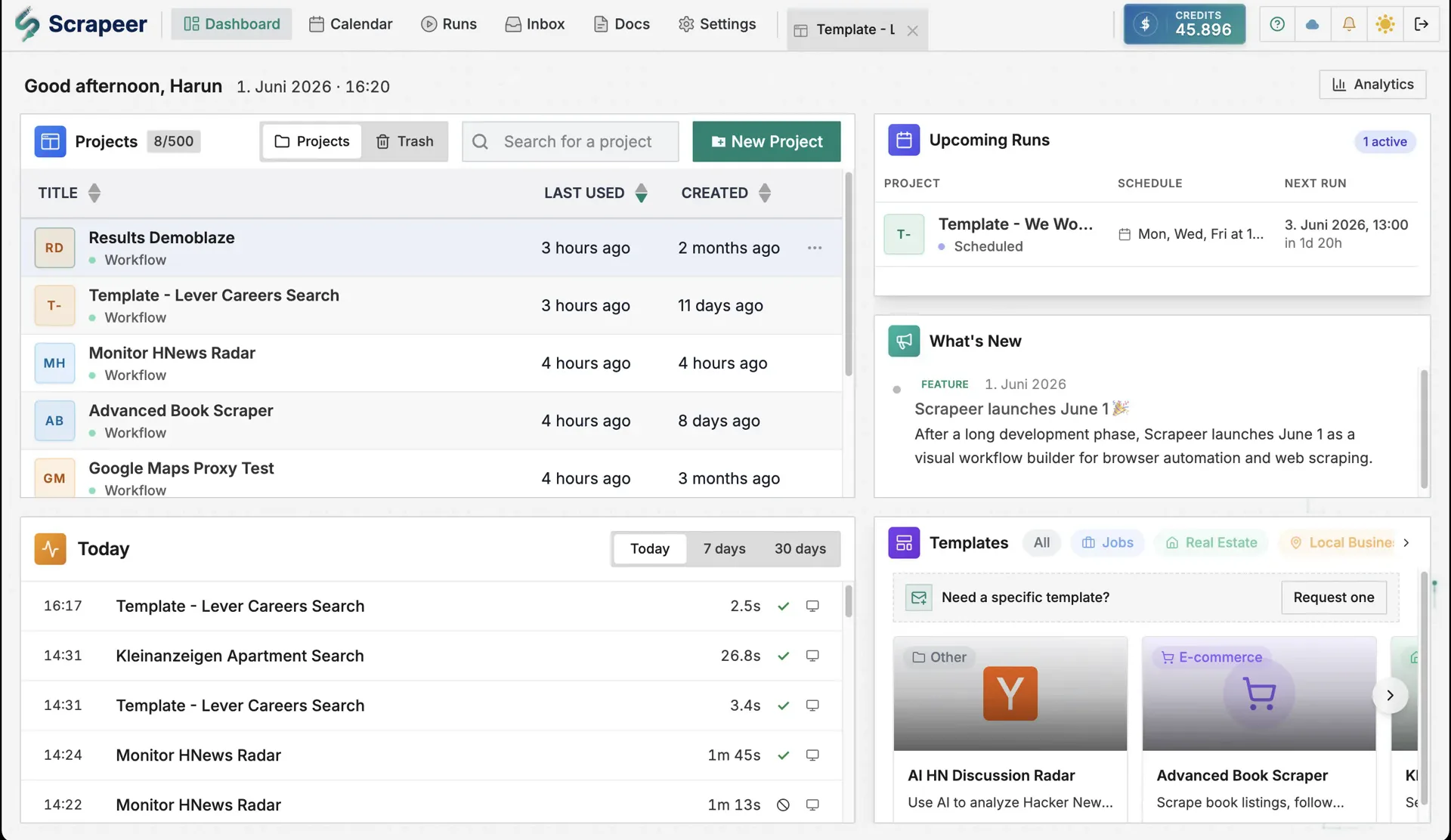
Think of Cloud Runs as the second run button: use them when you want Scrapeer’s cloud to execute the flow instead of your local desktop app. The plans set how many Credits and concurrent Cloud Runs you have, and you do not need to create a schedule first.
Scheduling is separate; add it when the same flow should run every morning, every Monday, or whenever the work needs to happen again.
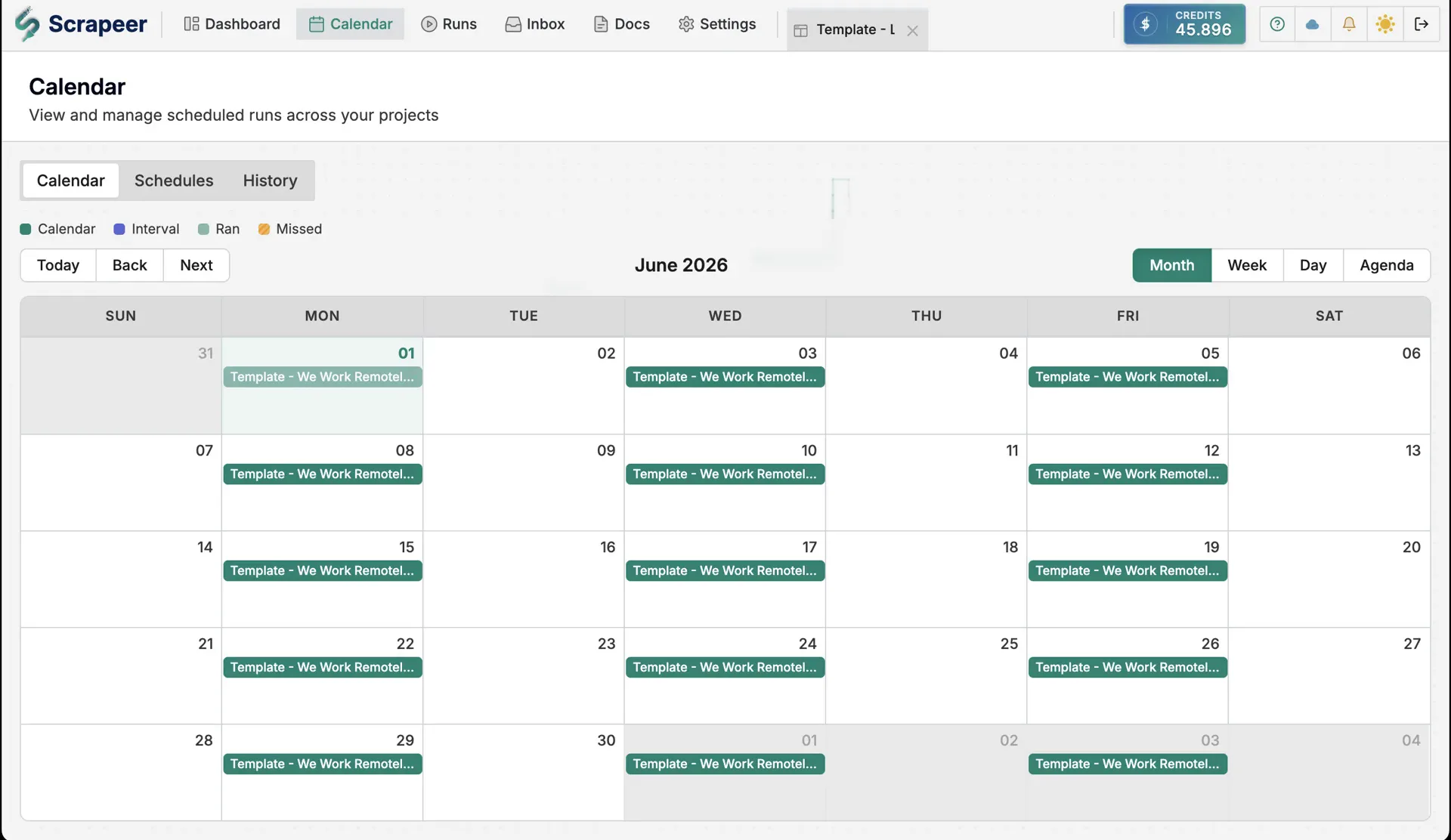
Cloud Runs can also use Stealth Mode and automatic CAPTCHA solving for pages that block ordinary scrapers. Automatic CAPTCHA solving can clear supported challenges during the run and consumes Credits for solved challenges. Stealth Mode is optional, and the Terms explain the responsibility that stays with you when you automate a website.
When the page changes later
The first successful run matters, but the second run tells you whether the setup is usable next week.
Take the price-monitoring flow from earlier. Last week, the price sat under the product name. This week, the shop added a seller badge in the same area, and the extracted row looks wrong. In Scrapeer, you rerun the flow locally, watch the browser reach that product card, open the extraction Block, and point it back at the price.
Scrapeer can automate the steps in the browser, but it cannot turn a page you cannot access into data you are allowed to collect. If a run lands on a login screen, hits a CAPTCHA, gets rate-limited, or reaches a page your account cannot open, Liveview shows that moment. Then you can add a login Block with Secrets, slow down the schedule, turn on Stealth Mode, use automatic CAPTCHA solving for jobs where the extra Credits make sense, or stop the Flow.
Who Scrapeer is for
Scrapeer is for people who need web data regularly but do not want to maintain a codebase.
An e-commerce operator can check competitor prices across product pages. A recruiter can collect job postings from company career pages. A researcher can pull public documents from a government site. A small agency can build repeatable lead collection flows without assigning the work to a developer every time the site changes.
What these people share is not a job title. It is a kind of work: repeated steps in a browser that belong in a flow, not in someone’s Friday afternoon.
Scrapeer is not trying to be another scraper API for engineers. It is a visual browser automation platform for people who want to see the task, change the task, and run the task again.
What Scrapeer does not automate away
Scrapeer does not remove the decisions around access and permission. Pages change, sessions expire, CAPTCHAs appear, and some sites block automation. You are still responsible for using Scrapeer legally and respecting the sites you automate.
Scrapeer removes the code barrier from building and adjusting the workflow. It does not decide whether a flow should keep running.
Common questions
Is Scrapeer a no-code web scraping tool?
Yes. Scrapeer is a no-code web scraping tool for building browser automation flows with visual blocks. You can start from the Flow Library, build manually, use the AI Copilot to create a first version, or combine those approaches.
Does Scrapeer generate code?
No. Scrapeer builds visual flows, not scripts you have to run somewhere else. The flow stays editable in the Scrapeer editor, and each step remains visible while it runs.
Can Scrapeer scrape sites that require login?
Yes, when you have permission to access the account and collect the data. Scrapeer includes login steps and encrypted Secrets, so credentials stay encrypted and Blocks reference them only where access is needed.
Can Scrapeer run while my computer is off?
Yes, with Cloud Runs. Local runs use the desktop app on your machine. Free-plan users test within plan limits. Subscribers run local workflows without spending Credits. Cloud Runs execute on Scrapeer’s cloud, so they can run while your computer is off. If the job should repeat, you can add a schedule.
Start with one repeatable task
The best first Scrapeer flow is deliberately small. Pick one browser task you already repeat: weekly prices, job listings, a directory search, a list of pages, or a portal that never exports what you need.
Run the first version locally, watch it click through the page, and change the Block that is wrong. When the flow is reliable enough, run it in the cloud or add a schedule.
A lot of work went into this first version, but Scrapeer is not finished. It should keep improving around the tasks people actually try: the flows that almost work, the pages that need a better Block, and the Flow Library examples that are still missing.
If you try Scrapeer and something is confusing, missing, or not good enough yet, write to support@scrapeer.com. I read that feedback, and it will shape what we build next.
Download Scrapeer free, browse the Flow Library, or compare our plans when you are ready to run flows away from your machine.